
AI-powered teacher evaluations
for Delaware educators.
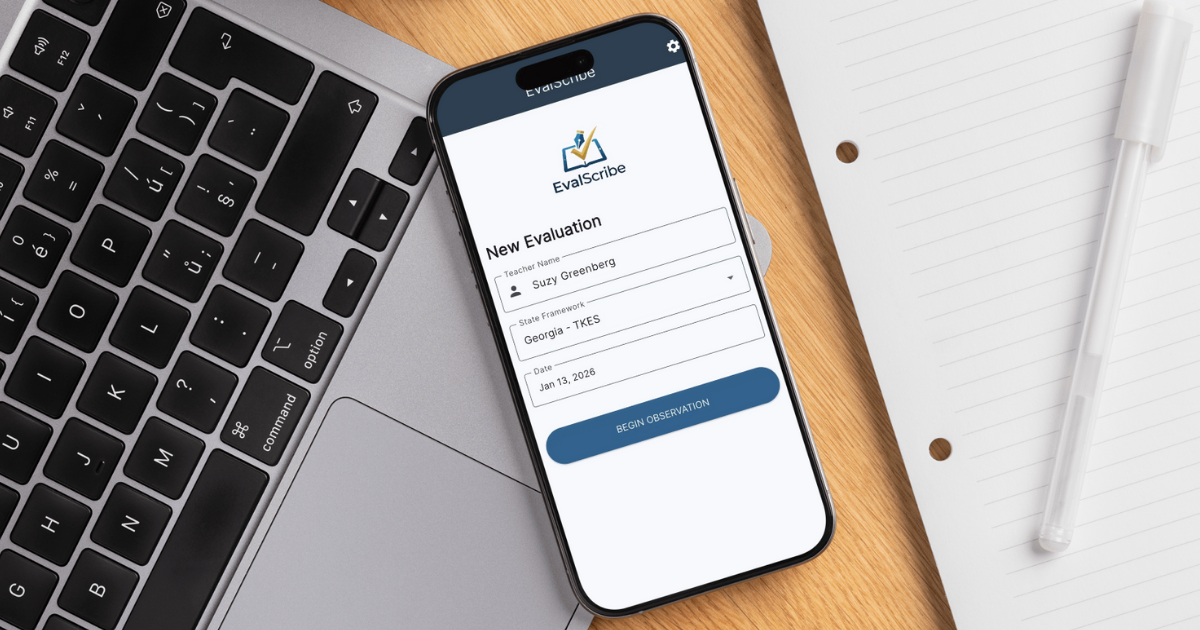
Cut DTGSS documentation from hours to minutes. EvalScribe is built around Delaware's Teacher Growth and Support System natively — all four Performance Areas and the nine observation indicators, in the framework's own language.
Saved per evaluation
All Performance Areas, built in
Observation indicators
Evaluator-controlled ratings
Three evaluations free — no credit card · Individual plans from $100/year · School & district licensing available
Endorsed by educational leaders
Game changer. Absolute game changer for school admin.
Tobin Davidson · Assistant Superintendent · 40+ years in education
This is amazing. I would pay lots of money for this. I’m serious — it’s crazy good.
Kittie Brown · Assistant Principal
Also endorsed by Dr. Robert Stinson · Glenn Brown · Angie Brandt — read full quotes ↓
Built by a classroom teacher
Founded by a practicing K–12 educator with nearly 20 years in the field.
Delaware-specific
All four DTGSS Performance Areas and the four levels of performance, built in natively.
Privacy-first
Transient processing on Microsoft Azure. Never used for AI training.
Built for workflow
Designed around the realities of being a Delaware evaluator.
The DTGSS. EvalScribe is built around all four Performance Areas.
Delaware evaluates classroom teachers through the Delaware Teacher Growth and Support System (DTGSS), which replaced DPAS-II for teachers beginning in 2023-24. Built on the Delaware Professional Teaching Standards and a modified Danielson framework, it organizes teaching into four Performance Areas, with the first three observed in the classroom through nine indicators. EvalScribe is built around the DTGSS and its language.
Four Performance Areas, nine observation indicators
The Delaware Teacher Classroom Observation Framework covers Performance Areas 1 through 3, each framed by an essential question and defined by three indicators — nine in all — described across four levels of performance. Performance Area 4 covers professional growth and student learning goals. EvalScribe maps your observation evidence to the indicator it supports and drafts a rating and evidence-anchored feedback in the framework's own language.
The four Performance Areas.
Learning Environment
3 indicatorsTo what extent does the classroom environment support all students to learn? Routines, structures, and culture that make learning possible.
Engagement in Learning
3 indicatorsTo what extent are all students engaged in meaningful, rigorous learning? Participation, discourse, and ownership of the work.
Maximizing Learning
3 indicatorsDoes the instruction support and advance learning for all students? Standards-aligned, rigorous instruction and responsive teaching.
Outcomes of Learning
GoalsProfessional growth goals and student learning goals, set collaboratively each fall with the Credentialed Administrator and reviewed across the year.
Each Performance Area also names Core Teacher Skills — including planning and preparation — which are not rated on their own but observed through the quality of the lesson. Ratings are assigned at year-end using evidence from at least three classroom observations.
Four levels of performance. Four summative ratings.
Highly Effective
Effective
Needs Improvement
Ineffective
Indicators and Performance Areas are rated on four levels (Level 1 to Level 4); the four Performance Area ratings determine the overall Summative Rating.
How EvalScribe handles the DTGSS
The four Performance Areas and the nine observation indicators are built into the tool, each with the DTGSS's own language across the four levels of performance and the descriptors that separate adjacent levels. EvalScribe maps the evidence from your observation notes to the indicator it supports and drafts best-fit ratings and evidence-anchored feedback — in Delaware's claim-and-impact style — so the write-up is defensible and traceable back to what you observed.
Scope of the score. EvalScribe drafts the classroom-observation piece — Performance Areas 1 through 3, the nine indicators. Performance Area 4 (professional growth and student learning goals) is set collaboratively with the Credentialed Administrator in the fall and reviewed in conferences; those goals, and the combination of all four Performance Areas into the Summative Rating, are handled in your district's DTGSS process, not the app.
DTGSS, not DPAS-II. For classroom teachers, the DTGSS replaced DPAS-II beginning in 2023-24; DPAS-II continues for specialists and administrators. EvalScribe is built around the DTGSS for teachers today. If you evaluate specialists or administrators on DPAS-II and would like to see that supported, email [email protected] — hearing from you helps us prioritize.
How EvalScribe works with the DTGSS.
A five-step path from the back of the classroom to a finished, standards-aligned evaluation.
Observe the classroom
Formal observation or walkthrough — capture what you see the way you always have.
Enter notes your way
Type, dictate, or snap a photo of your handwritten notes. Smart Scan converts handwriting to text.
Map evidence to indicators
EvalScribe identifies which of the nine DTGSS observation indicators each note supports, across Performance Areas 1-3.
Suggested ratings & comments
Get draft ratings and feedback language in the rubric's own voice, across the four-level scale.
Review & finalize
Edit anything you want, finalize the evaluation, and export a clean PDF for your records.
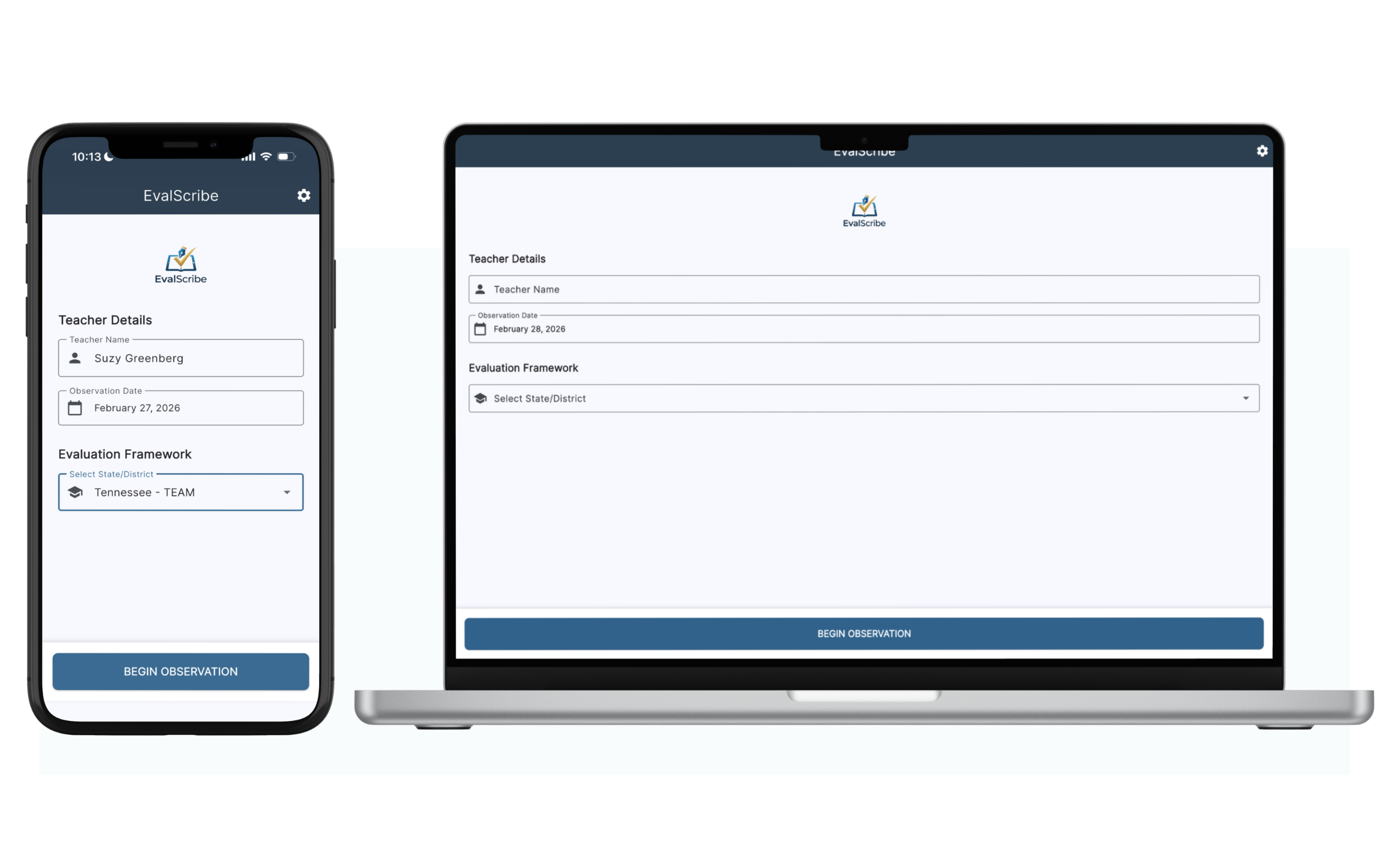
EvalScribe runs natively on iPhone, iPad, and Mac — work where you are.
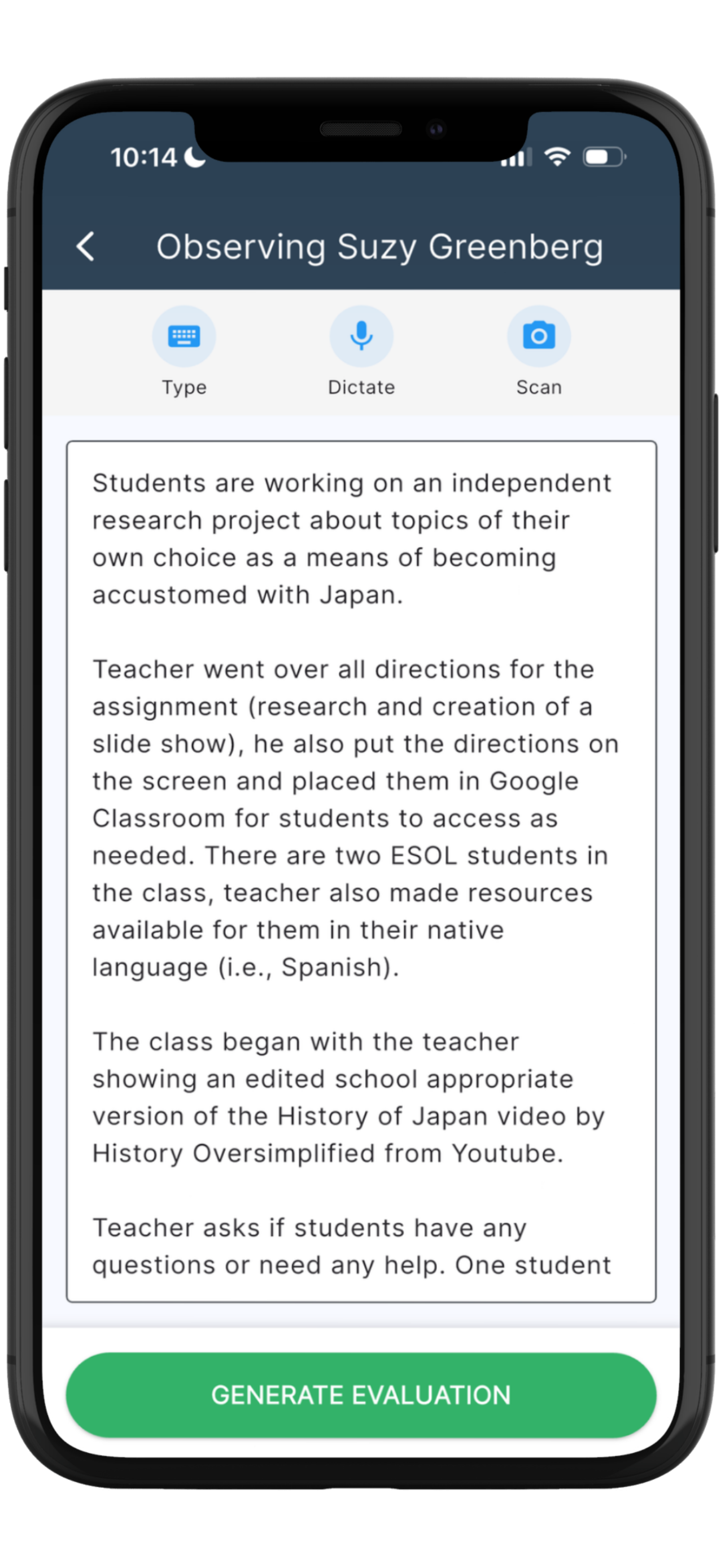
Capture notes the way you already work.
No retraining required. Whatever your walkthrough style, EvalScribe accepts it.
Snap a photo
Photograph your handwritten notes mid-walkthrough. Smart Scan OCR converts handwriting to text — even messy handwriting, even pedagogical terms.
Dictate as you go
Speak observations directly into the app. Voice dictation captures what you saw without breaking your eye contact with the classroom.
Type directly
Prefer to type? Enter notes straight into the app — they flow into the same DC-aware drafting pipeline as scans and dictation.
Why generic AI falls short for the DTGSS.
Pasting your walkthrough notes into a general-purpose chatbot might produce a paragraph that sounds polished — but for DTGSS documentation, "sounds polished" isn't the bar. Defensible, indicator-aligned evaluations are.
| Capability | Generic AI (ChatGPT, Claude, etc.) | EvalScribe |
|---|---|---|
| Framework awareness | ✕No concept of the DTGSS, its four Performance Areas, or its nine indicators. Treats every prompt the same. | ✓Built around the DTGSS Performance Areas, indicator language, and four levels of performance. |
| Indicator mapping | ✕Invents area and indicator labels and rubric language that don't match the DTGSS. | ✓Maps evidence to the real nine DTGSS indicators using the actual framework loaded into the app. |
| DTGSS vs. DPAS-II | ✕No idea Delaware moved classroom teachers from DPAS-II to the DTGSS in 2023-24. | ✓Built around the current DTGSS for teachers, with the DPAS-II distinction named up front. |
| Scope of the score | ✕Assumes the observation is the whole rating, ignoring Performance Area 4 goals. | ✓Drafts Performance Areas 1-3; leaves the goal-based Area 4 and the summative combination to your district's process. |
| Rating levels | ✕Defaults to generic good-to-bad framing that misses Delaware's levels. | ✓Drafts toward Delaware's ratings — Highly Effective, Effective, Needs Improvement, Ineffective. |
| Note input | ✕Requires you to retype everything before the AI can do anything with it. | ✓Accepts typed notes, dictation, or photos of handwritten notes via Smart Scan OCR. |
| Feedback language | ✕Vague, generic comments that could describe any teacher. | ✓Professional, evidence-anchored feedback written in the DTGSS claim-and-impact style. |
| Data privacy | ✕Free tiers may use your inputs to train public models. | ✓Enterprise-grade Microsoft Azure. Transient processing. Zero retention. Never used for training. |
| Defensibility | ✕Output you can't trace back to evidence or rubric language. | ✓Every comment is tied to evidence pulled from your notes and the component it supports. |
How much Delaware evaluation time could you reclaim?
Tune the inputs to your reality. The numbers update as you go.
You could reclaim approximately
hours per year
Workdays reclaimed
Total evaluations
Based on early EvalScribe users saving an average of 35 minutes per evaluation. Individual results may vary based on your current workflow.
The best way to see it
is to watch it.
Reading about how EvalScribe drafts a DTGSS evaluation isn't the same as watching it happen. The demo walks through a real observation — capture, mapping, scoring, and final export — start to finish.
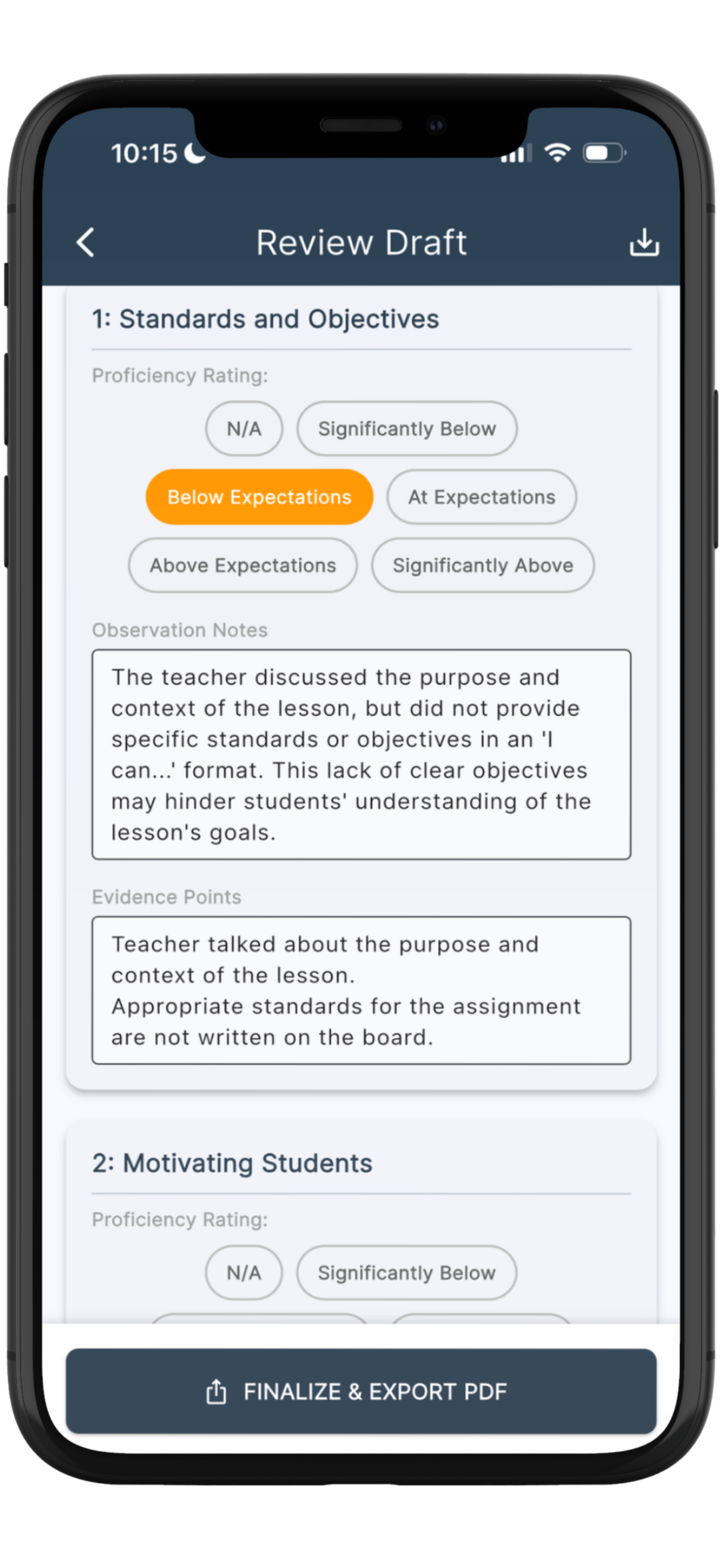
The draft review screen — every comment, rating, and piece of mapped evidence is fully editable before export.
See an example EvalScribe report.
A real EvalScribe-generated evaluation, formatted exactly as it exports from the app. The workflow is the same across frameworks — useful to share with district stakeholders.
Download sample PDFWhat educational leaders are saying.
Real feedback from administrators across roles — from academic coaches to assistant superintendents.
EvalScribe is a tool that every public school principal should use. This resource literally makes multiple people out of administrators, allowing them to focus their energies on precise observation analysis and quality feedback while leaving EvalScribe to handle the mechanics. This tool will remove virtually all of the drudgery from the classroom evaluation process and would represent an excellent use of school funds.
Dr. Robert Stinson
Principal
After seeing a detailed demonstration of EvalScribe, I came away very impressed with both the concept and the execution. The platform provides administrators with a practical way to quickly capture classroom observations and generate high-quality, customized feedback that remains aligned to their evaluation framework and local expectations. What stood out most was the balance between efficiency and quality. EvalScribe has the potential to reduce administrative workload while helping school leaders provide more timely and meaningful feedback to teachers — a tool with considerable promise for schools and districts.
Glenn Brown
Director of Student Services
Game changer. Absolute game changer for school admin.
Tobin Davidson
Assistant Superintendent · 40+ years in education
This is amazing. I would pay lots of money for this. I’m serious — it’s crazy good. I look forward to using it on a regular basis next year.
Kittie Brown
Assistant Principal
Evaluators spend an inordinate amount of time recording and documenting evaluations. This app is easy to use, affordable, and incredibly efficient. It cuts the time spent recording and documenting evaluations down significantly and frees us up to handle other aspects of the job. Plus, the conference suggestions save on prep time when a conference is warranted.
Angie Brandt
Academic Coach
Built by educators, for educators.
EvalScribe was co-founded by a practicing classroom teacher and his wife — a husband-and-wife team with thirty years of combined classroom and business experience.

Anthony Neely, Ph.D.
Co-founder · Product
A tenured K–12 classroom teacher and Professional Learning Lead. District Teacher of the Year, with nearly 20 years in education and three published books.

Andrea Neely, Ph.D.
Co-founder · Business
Associate Professor of Management. Research and teaching in organizational management.
Your evaluation data stays yours.
Observation notes are processed transiently on Microsoft Azure and are not retained on our servers. Your evaluation records live locally on your device. Notes and evaluations are never used to train public AI models. For districts needing a Data Processing Agreement or FERPA attestation, those are available on request.
Simple, transparent pricing.
Try EvalScribe with three free evaluations. When you're ready to keep going, pick the plan that fits your role.
Individual
For a single evaluator on their own device.
Billed annually per user
- Unlimited evaluations
- All supported frameworks, including the DTGSS
- iOS & macOS access
- 3 free evaluations to start
School-wide
For a school with multiple evaluators.
3+ evaluators
- Everything in Individual
- 10% volume discount
- Unique access code issued to your school
- Easy distribution to your evaluators
District-wide
For districts deploying across every evaluator.
Best value for full deployments
- Everything in School-wide
- 20% volume discount
- Single access code for the entire district
- Direct support contact for rollout
All pricing shown is introductory and may change. For school and district plans, EvalScribe issues a unique access code that the buyer distributes to their evaluators.
The DTGSS & EvalScribe — common questions.
Does EvalScribe support Delaware's DTGSS?
Yes. EvalScribe is built around the four DTGSS Performance Areas — Learning Environment, Engagement in Learning, Maximizing Learning, and Outcomes of Learning — and the nine observation indicators in Performance Areas 1 through 3. It maps your observation evidence to the indicator it supports and drafts a rating and feedback for each, using the framework's own language across the four levels of performance.
Is Delaware still using DPAS-II?
For classroom teachers, no — the DTGSS replaced DPAS-II beginning in 2023-24. DPAS-II continues for specialists and administrators. EvalScribe is built around the DTGSS for teachers. If you evaluate specialists or administrators on DPAS-II and would like to see that supported, email [email protected].
Does EvalScribe calculate my summative rating?
No. EvalScribe drafts the classroom-observation piece — Performance Areas 1 through 3 and their nine indicators. Performance Area 4 (professional growth and student learning goals) is set with your Credentialed Administrator, and the combination of all four Performance Areas into the overall Summative Rating happens in your district's DTGSS process, not the app.
What are the DTGSS rating levels?
Indicators and Performance Areas are rated on four levels of performance (Level 1 to Level 4). Those combine into one of four overall summative ratings: Highly Effective, Effective, Needs Improvement, and Ineffective. Ratings are assigned at year-end using evidence gathered across at least three classroom observations.
Why isn't planning and preparation one of the observed indicators?
By design. In the DTGSS, planning and preparation are named as Core Teacher Skills rather than rated on their own — the framework observes their result in the quality of the lesson and student learning. Planning still matters; it's assessed through what happens in the classroom rather than as a separate indicator. EvalScribe drafts to the indicators as the framework defines them.
Does EvalScribe replace evaluator judgment?
No. EvalScribe drafts evidence-mapped evaluations and suggested ratings. The evaluator reviews, edits, and finalizes every document. The professional judgment is always yours — EvalScribe just removes the typing.
Can the generated evaluations be edited?
Yes, fully. Every comment, every rating, and every piece of mapped evidence inside a draft evaluation can be edited before you export the final PDF. You are always the last set of eyes on the document.
Is observation data stored?
Your notes are processed transiently on Microsoft Azure and are not retained on EvalScribe's servers. Your evaluation records sit locally on your device under a local-first architecture. Your data is never used to train public AI models. For more detail, see our Privacy Policy.
How is EvalScribe different from ChatGPT or Claude?
Generic AI tools have no built-in understanding of the DTGSS. They invent indicators, confuse it with the old DPAS-II, hand out Highly Effective freely, and produce vague comments that miss the level descriptors the framework requires. EvalScribe is built around the DTGSS's actual Performance Areas, indicators, and levels — and the evaluator workflow that surrounds them — from capture through final feedback.
Where can I read the official DTGSS sources?
The Delaware Department of Education publishes the DTGSS guidebook and the Delaware Teacher Growth and Support System pages, including the Classroom Teacher Observation Framework. The governing rule is 14 DE Admin. Code 106A, established under 14 Del.C. Chapter 12.
Which other frameworks are supported?
EvalScribe ships with frameworks from all 50 states and Washington D.C., plus general models such as Danielson, Marzano, Stronge, CEL 5D+, NIET, and Kim Marshall. The complete list is available at evalscribe.com/frameworks.
Don't see your question? Reach out via our contact page — we read every message personally.
Spend less time on paperwork.
Lead your building.
EvalScribe was built to help Delaware evaluators spend less time documenting evaluations and more time doing what matters: leading instruction, coaching teachers, and walking buildings.

Three evaluations free — no credit card · Available on iPhone, iPad, and Mac